
Recover failed-payment revenue before churn compounds.
ChurnWin surfaces Stripe failed payments, cancellations, and customer feedback, weighs the signals by MRR, and shows your team what to investigate next—with optional read-only context for AI agents.
Worked scenario — editable, not a benchmark$20k MRR × 2% failed payments × 35% assumed recovery$140 / month recoverableEdit the 3 assumptions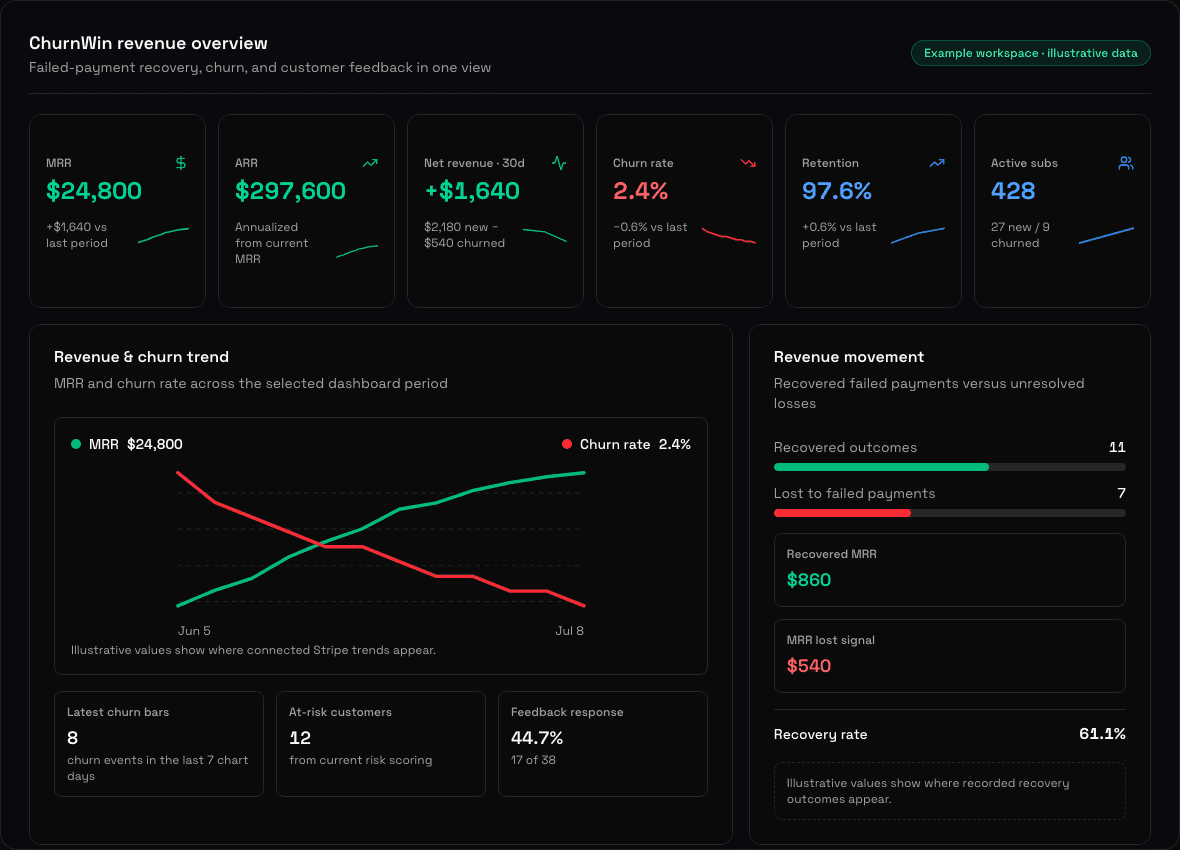
See where recurring revenue is leaking
Bring failed payments, cancellations, customer feedback, and MRR impact into one prioritized view before deciding what to fix.
Failed-Payment Visibility
See failed-payment signals alongside subscription and MRR context so involuntary churn does not disappear inside Stripe event logs.
Recovery Priorities
Estimate where recurring revenue is at risk and review the highest-impact recovery opportunities first.
Cancellation Feedback
Collect reasons and customer comments, then group repeated themes instead of guessing why accounts leave.
MRR-Weighted Action Plan
Rank churn themes by revenue impact and turn the strongest evidence into product and retention work.
Human-Controlled Workflow
Review customer context, decide what to change, and keep billing, outreach, and production actions under your team's control.
Optional Agent Access
Give AI agents a read-only API/MCP view of churn evidence when you want help analyzing patterns—without write access.
From Stripe signals to a revenue-protection plan
Find the leak, understand why it happened, and choose the next action—with agent support when you want it.
Connect Stripe
Add a restricted read-only key. ChurnWin syncs customers, subscriptions, cancellations, failed payments, and feedback context.
Collect churn feedback
ChurnWin groups cancellation reasons, customer comments, and MRR impact so your team can see the patterns behind lost revenue.
Prioritize the next action
Review MRR-weighted themes in the dashboard or use read-only API/MCP workflows to draft product fixes, retention experiments, and action plans.
Simple pricing for AI-readable churn loops
Every plan starts with a 14-day free trial. Connect Stripe, collect feedback, and build your agent loop.
Starter
- 1 Stripe account
- 500 customers
- 500 emails/mo
- Churn feedback dashboard
- Agent-readable action plan
Growth
- 5 Stripe accounts
- 2,500 customers
- 2,500 emails/mo
- Everything in Starter
- Automated feedback emails
- MRR-weighted churn themes
- Custom email domain
- Priority support
Scale
- 25 Stripe accounts
- 10,000 customers
- 5,000 emails/mo
- Everything in Growth
- Custom email domain
- API + MCP Agent Access
- Advanced analytics
- Dedicated success manager
Ready to find the churn signals costing you revenue?
Start your 14-day free trial, connect Stripe, and see failed payments, cancellations, and customer feedback in one prioritized view. Add read-only agent access whenever your team wants it.
Frequently asked questions
Everything you need to know about ChurnWin.
What is ChurnWin?
ChurnWin is failed-payment recovery and churn analysis software for Stripe SaaS teams. It syncs the subscription, payment-failure, cancellation, customer-feedback, and MRR context a team has authorized, then organizes those signals in one dashboard so operators can prioritize revenue at risk instead of reviewing disconnected spreadsheets or Stripe screens. It helps you see which failed payments need attention, which cancellation reasons repeat, and which product or retention work could protect the most recurring revenue. For example, when a subscription invoice fails, ChurnWin can surface the affected revenue alongside that customer's recent context, making it easier for a human operator to decide whether to investigate billing, improve dunning, or follow up through an approved workflow. ChurnWin also offers optional read-only API and MCP access, so an AI agent can analyze the same evidence and suggest actions without changing subscriptions, contacting customers, or editing your product. Your team reviews and executes every customer-facing or production action.
How does an AI agent use ChurnWin?
An AI agent uses ChurnWin through the read-only API or MCP server to inspect failed-payment signals, churn themes, cancellation feedback, and MRR impact. The agent can summarize repeated evidence, rank opportunities by revenue risk, and draft product recommendations, retention experiments, or implementation tickets for GitHub, Linear, or Jira. For example, an agent can compare a cancellation theme reported by several customers with the MRR attached to those accounts, then propose a focused onboarding fix and explain why it should outrank lower-value requests. ChurnWin supplies structured context rather than giving the agent control over billing or customer communication: the integration cannot change subscriptions, send outreach, or edit your product. A human still reviews the evidence, decides whether the recommendation is appropriate, and chooses what to execute. This makes the agent useful for analysis and planning while keeping sensitive customer-facing and production actions under your team's existing approval process.
How does ChurnWin connect to Stripe?
You provide a Stripe API key (restricted read-only is fine). ChurnWin syncs customers, subscriptions, cancellation data, failed-payment signals, and feedback context automatically. Setup takes under 2 minutes.
Does the API or MCP server write to my product or customers?
The v1 Agent Access story is read-only by design. ChurnWin exposes the churn context your agent needs to recommend fixes, not a blind automation layer that changes subscriptions, emails customers, or edits your product without review.
Does ChurnWin send emails on my behalf?
Yes, if you enable it. When a customer cancels, ChurnWin can send a feedback request email. On Starter, emails are sent from churnwin.com. On Growth and Scale, you can verify your own domain so emails come from your address.
Can I connect multiple Stripe accounts?
Yes. The Starter plan supports 1 Stripe account, Growth supports 5, and Scale supports 25. Each account's data is tracked independently, and the agent feedback loop can compare themes across connected SaaS products.